

In the thrilling world of computing, overclocking a CPU is like putting a turbocharger on a family sedan. It’s all about squeezing every last drop of performance from that chip, turning a standard rig into a powerhouse capable of handling anything from gaming marathons to intense video editing sessions. Why settle for “good enough” when you can unleash the true potential of your hardware?
What Is Overclocking CPU?
Overclocking a CPU involves running the processor at a higher speed than its factory settings. This adjustment increases performance, allowing computers to perform tasks more efficiently. Users often apply overclocking techniques for gaming, video rendering, or running resource-heavy applications.
Performance gains from overclocking depend on several factors, including the CPU model, cooling solutions, and motherboard capabilities. Many modern CPUs contain built-in features that facilitate this process. These features simplify adjustments to clock speeds and voltage settings, making overclocking more accessible for users.
Cooling solutions play a crucial role in overclocking success. Adequate cooling systems—such as air or liquid cooling—ensure that the CPU maintains an optimal temperature. Running a CPU at higher speeds generates additional heat; without effective cooling, overheating may lead to system instability or damage.
Overclocking benefits can be significant, but it comes with risks. Increased voltage settings may improve performance but can also reduce the CPU’s lifespan. Testing and monitoring tools help users assess stability and temperature during overclocking sessions, minimizing potential damage.
Many online communities and forums offer advice and experiences regarding overclocking. Experts share guides and tips that provide practical insights into the process. Resources like performance benchmarks and user testimonials assist individuals in making informed decisions when overclocking their CPUs.
Benefits of Overclocking CPU
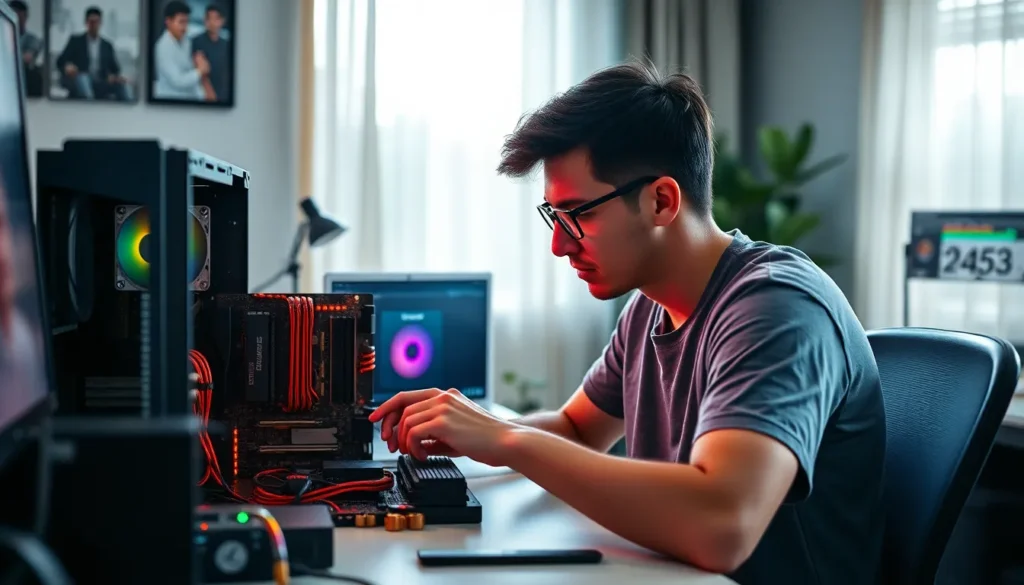
Overclocking a CPU offers substantial advantages that can significantly enhance computing experiences. It transforms the overall performance of systems without the need for expensive hardware upgrades.
Increased Performance
Increased performance stands as one of the primary benefits of overclocking. By running a CPU at speeds beyond its factory settings, users often experience faster processing capabilities. Performance improvements can reach 10% to 50%, depending on the CPU model and specific tasks. Tasks such as video rendering or complex calculations benefit significantly from this boost. Enhanced clock speeds increase the number of operations per second, enabling smoother multitasking and quicker response times. Cooling solutions play a crucial role in maintaining stability during overclocking, ensuring the CPU performs optimally without overheating.
Enhanced Gaming Experience
Enhanced gaming experience represents another notable benefit of overclocking. Players often seek higher frame rates and smoother gameplay, which overclocking can deliver. By increasing CPU speeds, users enjoy reduced lag and improved graphics rendering. This enhancement leads to an overall more immersive gaming experience. Compatibility with modern graphics cards further amplifies these effects. Gamers can take advantage of overclocking to run demanding titles at higher settings without sacrificing performance. As a result, overclocking not only elevates individual gaming sessions but also extends the longevity of gaming hardware by maximizing its potential.
Risks of Overclocking CPU
Overclocking a CPU offers advantages but also presents several risks that users must consider.
Heat Generation
Heat generation ranks among the primary risks of overclocking. Running a CPU at higher speeds results in increased thermal output. Temperatures can reach critical levels, leading to system instability or crashes. Effective cooling solutions play a vital role in managing excess heat. Users may opt for high-performance air coolers or liquid cooling systems to mitigate overheating. Monitoring tools assist in keeping track of temperature levels during overclocking. Maintaining optimal temperatures is essential to preserve CPU functionality.
Potential Hardware Damage
Potential hardware damage is another significant risk associated with overclocking. Pushing a CPU beyond its limits can lead to physical damage over time. Increased voltage settings exacerbate the likelihood of component failure. Capacitors and transistors may degrade faster under intense loads. Users risk voiding warranties if overclocking occurs improperly. Understanding a CPU’s specifications helps in setting safe limits. Seeking community support can provide insights into safe overclocking practices.
How to Overclock CPU
Overclocking a CPU requires specific tools and software for safe and effective results.
Required Tools and Software
Monitor temperature and performance with software like CPU-Z and HWMonitor. Benchmarking software such as Cinebench or Prime95 assesses stability and performance after adjustments. A motherboard with overclocking capabilities simplifies the process, as many come with user-friendly BIOS interfaces. High-quality cooling solutions like air coolers or liquid cooling systems maintain optimal temperatures.
Step-by-Step Overclocking Guide
Start by accessing the BIOS or UEFI firmware settings during system boot-up. Gradually increase the core multiplier or the base clock (BCLK) frequency to enhance CPU speed. Adjust voltage settings cautiously to stabilize the overclocked CPU, avoiding excessive voltage that poses damage risks. After making changes, reboot and run stress tests to check stability. Monitor temperatures throughout the process to ensure the system remains within safe limits, adjusting as necessary to prevent overheating.
Monitoring and Stability Testing
Monitoring and stability testing are critical steps in the overclocking process. Users should utilize software tools like CPU-Z or HWMonitor to keep an eye on temperature levels and performance metrics. By doing this, it becomes easier to detect any issues that might arise during overclocking.
Stress testing helps ensure CPU stability after adjustments. Applications such as Prime95 and Cinebench are effective for this purpose. Running these tests under load allows users to understand how the system reacts to higher clock speeds and voltage settings. If temperatures stay within safe limits and performance improves, this indicates a successful overclock.
Regular monitoring during stress tests offers several advantages. Observing real-time data on temperature and voltage helps identify potential problems before they lead to hardware failures. Taking notes on temperatures during different loads aids in establishing safe limits for future sessions.
Maintaining effective cooling solutions plays a vital role. High-performance air coolers or liquid cooling solutions prevent excessive heat buildup, contributing to overall stability. Periodic checks of these cooling systems during overclocking ensure they function correctly.
Setting realistic goals also promotes stability. Each CPU model has its own limitations when it comes to overclocking. Users should consult manufacturer specifications to understand the maximum recommended settings. Following community recommendations for safe voltage levels enhances the experience while minimizing risks.
Successful overclocking demands no shortcuts. Rushing through testing phases can result in instability or hardware damage. Prioritizing systematic monitoring and testing creates an environment where overclocking can deliver enhanced performance safely.
Overclocking a CPU can unlock significant performance enhancements for users seeking to elevate their computing experience. By carefully adjusting settings and ensuring effective cooling, individuals can transform their systems into powerful machines capable of handling demanding tasks.
While the potential rewards are enticing, it’s crucial to approach the process with caution. Understanding the risks involved and utilizing the right tools will help mitigate potential issues.
With the right knowledge and preparation, overclocking can lead to impressive gains in performance and longevity, making it a worthwhile endeavor for those looking to maximize their hardware’s potential.


