

In a world where noise pollution reigns supreme, the quest for a silent PC build has become a game-changer for gamers and professionals alike. Picture this: you’re deep in an intense gaming session or working on that crucial project, and suddenly, your PC sounds like a jet engine ready for takeoff. Not exactly the peaceful atmosphere you envisioned, right?
Silent PC builds are the unsung heroes of the tech world, combining performance with tranquility. They let you focus on what really matters—whether that’s crushing your enemies in a virtual battlefield or finally finishing that report without the distraction of whirring fans. With the right components and a bit of know-how, he or she can create a whisper-quiet machine that’s as powerful as it is serene. Ready to dive into the world of silent computing? Let’s explore how to make your PC a stealthy powerhouse.
What Are Silent PC Builds?
Silent PC builds focus on creating a computer system that operates with minimal noise. Users prioritize quiet performance for various reasons, including gaming, content creation, and general productivity. Such builds employ specific components designed to reduce sound output without sacrificing efficiency.
High-quality fans play a crucial role in keeping noise levels down. Many enthusiasts opt for larger fans, which can spin slower while moving more air, resulting in quieter operation. Additionally, fanless power supplies and GPU solutions further diminish sound production.
Sound-dampening materials contribute significantly to achieving silence in PC builds. Acoustic foam and specialized enclosures absorb vibrations and prevent noise from escaping. Builders often choose cases designed with noise reduction features, such as rubber grommets and soundproof panels.
Cooling solutions matter immensely as well. Liquid cooling systems typically operate more quietly than traditional air coolers, enhancing thermal efficiency while remaining unobtrusive. When selecting components, compatibility and overall system airflow must also align with the goal of maintaining low noise levels.
Choosing a silent PC build offers several advantages. Users can concentrate deeply on tasks without disturbances, fostering improved productivity. Gamers, in particular, enjoy immersive experiences without fan noise detracting from gameplay.
As technology advances, the range of silent components has expanded considerably. More manufacturers recognize the demand for low-noise options, sparking innovations in acoustic design. Adopters of silent PC builds enjoy the peace and tranquility that come with a well-crafted system, tailored to their specific needs.
Key Components for Silent PC Builds
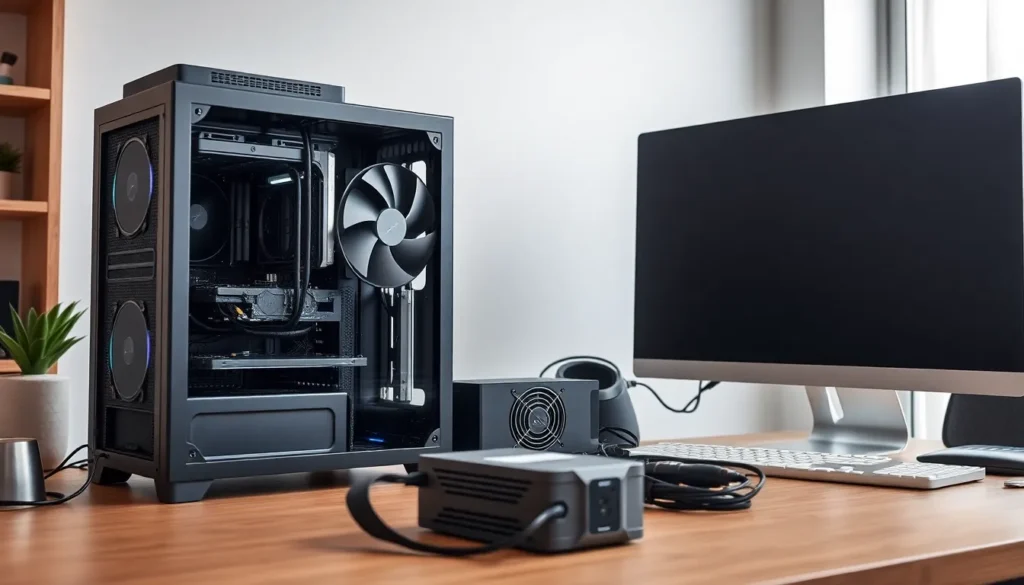
Creating a silent PC involves selecting specific components that minimize noise while maintaining performance. These essential parts contribute to building a truly quiet computing environment.
Case Selection
Choosing the right case plays a crucial role in ensuring a silent build. Opt for cases designed with sound-dampening materials, which effectively absorb vibrations and reduce noise. Larger cases often accommodate bigger fans, allowing for lower RPMs while enhancing airflow. Ventilation also matters; consider cases with well-placed mesh panels to promote better airflow without compromising noise levels. A modular design lets users manage internal space effectively, creating an organized layout that minimizes sound.
Fans and Cooling Solutions
Selecting fans is vital for maintaining low noise levels. High-quality, larger fans generally produce less noise than smaller counterparts, thanks to their ability to move air efficiently at lower speeds. Consider models specifically designed for quiet operation, as they utilize advanced bearing technology that reduces mechanical noise. Liquid cooling systems are another excellent option for silent builds, providing efficient thermal management without the loud operation common in air coolers. Prioritizing reliable cooling solutions ensures optimal performance alongside silence.
Power Supply Considerations
An efficient power supply contributes significantly to a silent PC. Quiet models often incorporate fanless designs, eliminating any noise generated by cooling fans under light loads. Look for power supplies with high efficiency ratings to reduce heat output, allowing for passive cooling methods. Consider modular power supplies as well; they reduce cable clutter and improve airflow within the case. Less strain on the power supply translates to quieter operation, adding to the overall tranquility of the build.
Building a Silent PC: Step-by-Step Guide
Constructing a silent PC involves meticulous planning and specific assembly techniques to ensure minimal noise output. Following these steps results in a powerful, quiet computer tailored to user preferences.
Planning Your Build
Select components designed for silence right from the start. Prioritize cases with sound-dampening features, as they significantly minimize noise. Choose larger, high-quality fans, which can move air effectively at lower RPMs. Focus on fanless power supplies to eliminate unnecessary sounds. Include liquid cooling systems, often quieter than traditional air options. Assess compatibility of all parts to ensure smooth operation and efficient airflow.
Assembly Tips for Noise Reduction
Utilize sound-absorbing materials in the case to dampen vibrations. Position hard drives with rubber grommets or mounts, reducing noise during operation. Ensure cables are managed and secured to avoid airflow obstruction, enhancing cooling efficiency. Tighten motherboard screws evenly to minimize rattling. Install fans with a focus on airflow direction, maximizing cooling with less noise. After assembly, run systems under low loads to test noise levels and make adjustments as necessary.
Recommended Silent PC Build Examples
Exploring silent PC builds reveals various configurations to fit different budgets and performance needs. Users can create tailored systems without compromising on noise or power.
Budget-Friendly Options
For budget-friendly silent PC builds, consider an AMD Ryzen 5 processor paired with a cost-effective B550 motherboard. Integrate 16GB of RAM, which provides sufficient memory for most tasks. Incorporate a quiet, fanless power supply, such as the Seasonic Fanless 520W, to minimize noise. Choose a mid-tower case with sound-dampening features, like the Fractal Design Define Mini C. Utilize a Noctua NH-U12S cooler for effective heat management and near-silent operation. Storage options can include a 500GB SSD to enhance speed and responsiveness. This setup balances performance and acoustic comfort, making it ideal for casual gaming and productivity.
High-End Configurations
High-end silent PC builds feature advanced components for ultimate performance. Consider an Intel Core i9-12900K processor combined with a robust Z690 motherboard for maximum power. Include 32GB of high-speed RAM to support demanding applications. A fanless power supply, like the Be Quiet! Dark Power Pro 12, ensures quiet operation. Opt for a well-ventilated case, such as the NZXT H510 Elite, designed with soundproofing materials. Implement an AIO liquid cooling solution, like the Corsair H150i Elite, for superior thermal management and silence. Adding multiple high-capacity NVMe SSDs significantly boosts loading speeds. This setup offers excellent performance for gamers and content creators, delivering exceptional speed in a whisper-quiet environment.
Common Mistakes to Avoid
Building a silent PC requires attention to detail to prevent common pitfalls. One frequent mistake involves skipping sound-dampening materials. Using components lacking acoustic foam may lead to unnecessary noise levels.
Selecting the wrong case is another mistake that can disrupt a silent build. Cases without soundproofing features can amplify noise, countering the intent of a quiet setup.
Opting for inadequate cooling solutions presents challenges as well. Choosing air coolers known for high RPM fans can create additional sound. Instead, liquid cooling options offer quieter operation and efficient thermal management.
Improper fan placement often compromises noise reduction efforts. Fans positioned incorrectly may create unwanted turbulence and vibrations. It’s essential to ensure all fans align with airflow direction for optimal performance.
Another mistake involves neglecting power supply selection. A standard power supply with active cooling can generate excess noise. Considering fanless or semi-fanless options enhances silence while maintaining efficiency.
Ignoring cable management also affects the build’s overall performance. Poorly organized cables can restrict airflow, causing components to overheat and fans to run louder. Prioritizing clean cable management enables better airflow and quieter operation.
Forgetting to test the system under low loads can lead to unoptimized performance. Running initial tests while monitoring noise levels helps identify any necessary adjustments. Allowing the system to settle during these tests ensures it meets desired silence standards.
Avoiding these mistakes contributes significantly to crafting an efficient, quiet PC. Each decision, from component selection to assembly techniques, influences the overall sound profile of the finished system.
Building a silent PC is more than just a trend; it’s a necessity for those who value a peaceful computing experience. With the right components and techniques, anyone can achieve a powerful yet whisper-quiet system tailored to their needs. The focus on sound-dampening materials and efficient cooling solutions not only enhances performance but also creates an immersive environment for gaming and productivity.
By carefully selecting each part and following best practices in assembly, users can avoid common pitfalls that lead to unwanted noise. The growing market for low-noise components ensures that there’s something for every budget and performance requirement. Embracing the art of silent PC builds allows individuals to enjoy their technology without distractions, paving the way for a more focused and enjoyable experience.


