

In a world where technology evolves faster than a caffeinated squirrel, keeping your PC up to date can feel like a never-ending race. Whether you’re gaming, streaming, or just trying to outsmart your cat during a Zoom call, an upgraded PC can be your secret weapon. Imagine smoother gameplay, quicker load times, and multitasking that doesn’t resemble a slow-motion train wreck.
Upgrading your PC doesn’t have to be a daunting task reserved for tech wizards. With the right guidance, anyone can transform their aging machine into a powerhouse. Say goodbye to lag and hello to efficiency. Let’s dive into the exciting world of PC upgrades and discover how a few simple tweaks can revolutionize your computing experience.
Benefits of Upgrading Your PC
Upgrading a PC offers numerous advantages that enhance overall user experience. Improved performance and gaming capabilities stand out among the benefits.
Enhanced Performance
Enhanced performance comes directly from upgrading key components. Adding a faster processor leads to quicker calculations and data processing. Increasing RAM size facilitates better multitasking by allowing more applications to run smoothly. Upgrading to a Solid State Drive (SSD) significantly reduces load times for programs and operating systems. These enhancements create a more efficient workflow, letting users complete tasks quicker and more effectively.
Improved Gaming Experience
Improved gaming experience directly correlates with hardware upgrades. New graphics cards enhance frame rates and boost visual quality, making gameplay more immersive. Upgrading RAM allows for playing more demanding titles while reducing lag and stuttering. Players benefit from faster load times, enabling seamless transitions between levels. Enhanced cooling systems can maintain optimal temperatures during intense gaming sessions, prolonging the lifespan of components.
Components to Consider When Upgrading
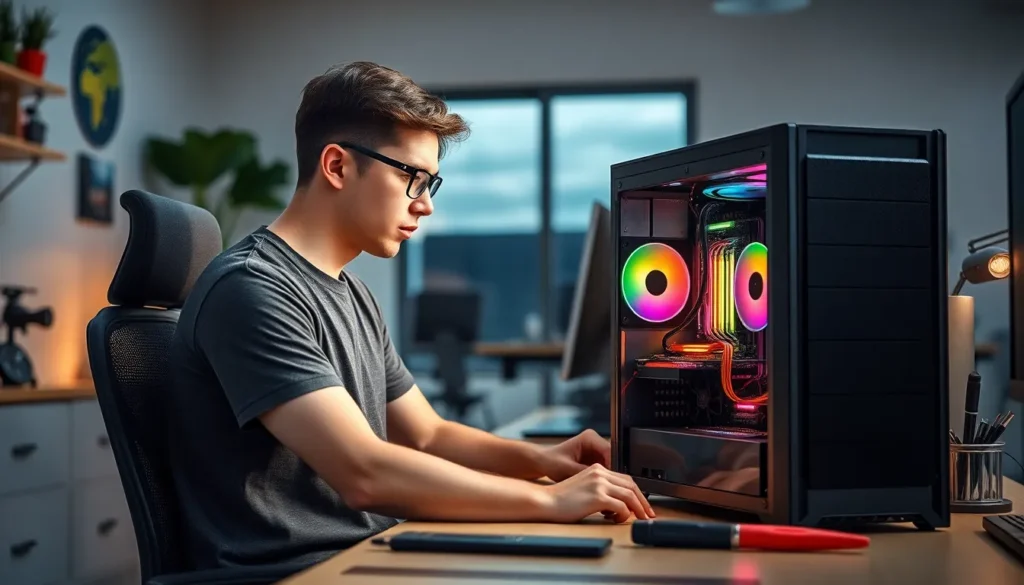
Upgrading a PC requires careful consideration of key components. Focus on essential upgrades that enhance performance, efficiency, and overall user experience.
CPU Upgrades
Selecting a faster CPU boosts processing power significantly. More cores provide enhanced multitasking capabilities. When looking for an upgrade, consider compatibility with the existing motherboard. Improved clock speeds lead to quicker application launches and better performance in demanding software. Popular options include AMD Ryzen and Intel Core series, tailored for various computing needs. This component directly impacts gaming and productivity, making it a vital choice in any upgrade path.
RAM Upgrades
Increasing RAM size enhances multitasking and overall system performance. A jump from 8GB to 16GB results in noticeably smoother operation for multiple applications running simultaneously. Choose RAM that matches your motherboard specifications for optimal performance. Opt for higher speed ratings to maximize data transfer speeds. This adjustment supports modern gaming environments and heavy workloads, allowing for seamless application transitions and improved response times during intense tasks.
GPU Upgrades
Upgrading the GPU serves as a crucial enhancement for gaming and graphic design. A powerful GPU elevates visual quality and increases frame rates significantly. When selecting a new graphics card, ensure it fits your case and is compatible with your power supply. Users can benefit from newer technologies like ray tracing and AI-driven graphics, greatly enhancing the gaming experience. Popular models from NVIDIA and AMD provide excellent performance boosts for demanding titles and applications.
Step-By-Step Guide to Upgrade Your PC
Upgrading a PC requires careful planning and execution. Following these steps ensures a smooth process.
Preparing Your Workspace
Establish a clean, organized workspace before beginning the upgrade. Gather essential tools, including a screwdriver and anti-static wrist strap. Remove any clutter that could hinder the process. Proper lighting simplifies looking inside the case. Ensure the area is free from dust, as it can accumulate inside components. Disconnect the PC from power and peripherals to prevent any electrical issues. Taking these precautions helps maintain safety and protects sensitive hardware.
Choosing the Right Components
Selecting compatible components is crucial for a successful upgrade. Research the existing motherboard specifications to understand supported CPUs and RAM. Consider brands like AMD Ryzen or Intel Core for processors known for performance. Assess the current RAM size and determine if more is needed for better multitasking. When upgrading the GPU, check for compatibility with the motherboard and power supply. Modern cards often support advanced technologies like ray tracing. Prioritize high-quality components to ensure longevity and enhance overall performance in gaming and productivity.
Common Mistakes to Avoid While Upgrading
Rushing the upgrade process often leads to oversight of crucial details. Investing time in research helps ensure compatibility when selecting new components. Forgetting to verify motherboard specifications can result in components that don’t fit or function properly.
Neglecting to check power supply requirements presents another common issue. It’s essential to confirm that the power supply can handle the additional load from upgraded parts. Skipping backup procedures can lead to data loss, emphasizing the importance of creating backups beforehand.
Assuming all components provide significant performance gains without understanding specific needs can waste resources. Understanding gameplay requirements or work tasks guides appropriate upgrades. Overlooking the importance of ventilation may cause overheating, affecting component longevity. Maintaining a cool environment reduces wear on newly installed parts.
Ignoring proper installation protocols can lead to physical damage or malfunction. Taking the time to consult user manuals ensures a smoother assembly experience. Relying solely on visual similarity can result in incorrect installations, underscoring the necessity of adhering to provided guidelines.
Purchasing the cheapest options without considering quality might jeopardize long-term performance. High-quality components often enhance device reliability and overall efficiency, proving more economical in the long run.
Failing to update drivers after hardware installation could hinder the performance improvements expected from upgrades. Regular updates ensure components work together seamlessly. Missing a clean environment before starting can introduce static or clutter into sensitive components. Preparing a tidy workspace minimizes risks, safeguarding newly upgraded hardware.
Upgrading a PC can be a game-changer for both productivity and gaming experiences. With the right components and careful planning, anyone can transform their machine into a powerful tool. It’s essential to focus on compatibility and quality to ensure longevity and performance.
By taking the time to research and execute upgrades properly, users can enjoy faster load times improved multitasking and enhanced graphics. Avoiding common pitfalls will lead to a smoother upgrade process and a more efficient system. Embracing these enhancements not only keeps a PC relevant but also elevates the overall computing experience.


